
LG Smart TV

Samsung

Apple TV

Fire TV

Mac & PC

Xbox

Roku

Android TV

IPTV Box

Consoles
LG Smart TV
Samsung
Apple TV
Fire TV
Mac & PC
Xbox
Roku
Android TV
IPTV Box
Consoles
Movies, series, football, kids' programs and over 45,000 channels. Experience 4K RAW quality on unlimited devices – no compromises.














June 11 – July 19 · Pure 4K RAW Stream
Absolute protection against ISP tracking. Thanks to military-grade AES-256-GCM encryption, your streaming traffic remains completely invisible and anonymous to network providers.
Pay once and stream worry-free for 5 years. No hidden monthly fees.
Direct output from German edge nodes – no proxy compression, no transcoding loss.
Premium Protocol vs. Conventional Streaming Servers
| Specification | KORTEXTV | OTHERS |
|---|---|---|
| Resolution | 4K / 8K RAW | HD / Compressed |
| ISP Throttling Protection | Inclusive | No |
| Privacy | AES-256-GCM | Unprotected |
| Latency | Under 11ms | 30s+ Delay |
| Simultaneous Streams | Unlimited | Only 1 Device |
| Infrastructure | Edge Nodes | Third-Party Servers |
| VIP Setup | Core Allocation | DIY |
Ready to use on all your devices in less than 5 minutes – absolutely no prior knowledge required.
Choose your desired duration. The process is completely anonymous and securely encrypted.
Instant ActivationYour digital access key and a structured step-by-step guide will be sent to you via email within milliseconds.
Instant DeliveryLog in and enjoy uncompressed 4K RAW quality – absolutely throttling-free and stable.
No Buffer. No Lag.Perfect for testing the uncompressed RAW protocol on your own device.
Maximum stability and performance over the encrypted crypto protocol network.
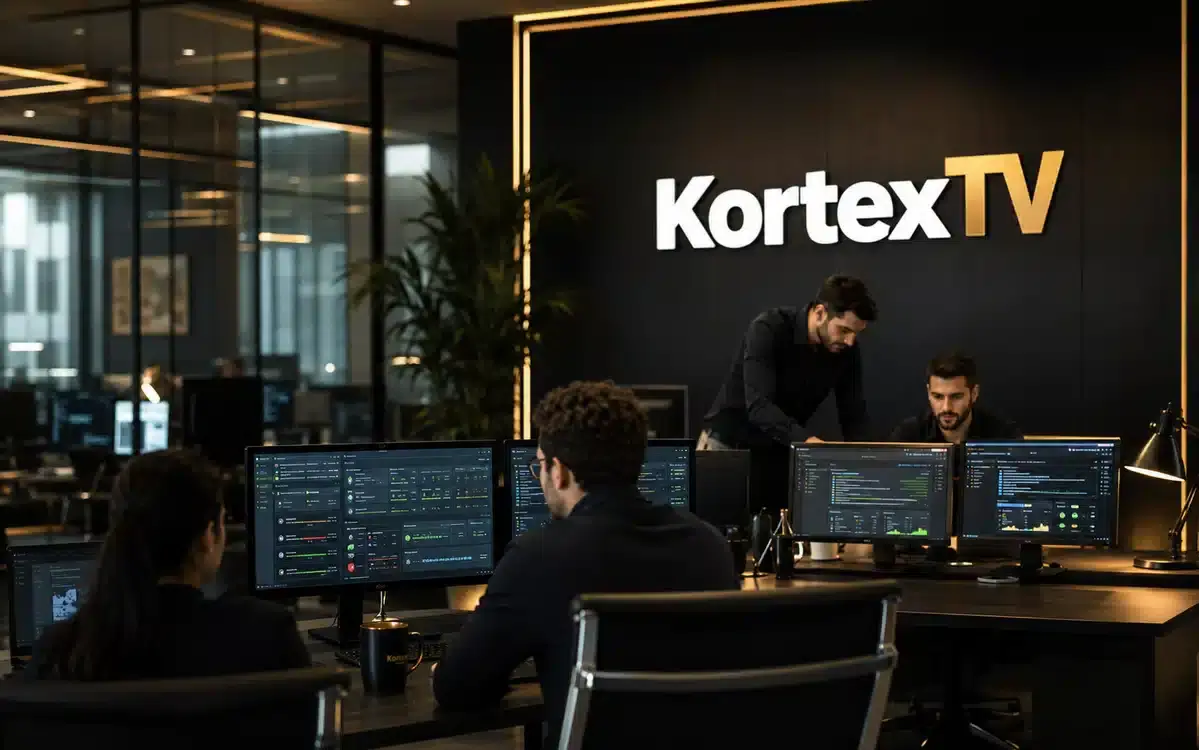
When our clients contact support, they are not entering an automated ticket queue. They enter a direct, priority operations channel with the engineers who maintain the core protocol network themselves.
Over 1,200 verified customers rate our Core Allocation stability 4.9 out of 5 stars.

"Finally a provider that doesn't freeze during important **UFC fights and Champions League**. The picture quality is absolute uncompressed RAW and razor-sharp. Absolutely recommended!"
January 2026"Great for live sports. Zero lag during Premier League matches. The **4K movie library** is updated daily and EPG guide works flawlessly on my Firestick."
March 2026"Up and running in under 5 minutes. **Incredible value** compared to my old cable bill. The multi-device setup with Core Allocation is extremely professional."
April 2026"Excellent service. Even when traveling, I had zero buffering. The **AES-256-GCM protection** gives me an absolutely secure feeling in Germany."
February 2026"It's like having Netflix, HBO, Disney, and every premium sports channel combined into one private cloud interface. **The EPG works perfectly**."
February 2026"My kids love the massive cartoon and Disney channel selection. Setup via their **VIP WhatsApp guide** was incredibly fast and easy on our Smart TV."
May 2026After confirming your activation, your personal access key will be generated within a maximum of 5 to 15 minutes. You will receive all login data, M3U playlists, and the exclusive Core Allocation assignment directly via email. No waiting time – you can stream immediately.
It flexibly depends on your selected Core Allocations. Our system enables parallel use on up to 5 devices simultaneously. Each device in the household occupies its own dedicated connection slot to guarantee maximum bandwidth and uncompressed bitrate without failures.
You get unrestricted access to over 45,000 live TV channels (including all VIP sports networks such as Sky Sport, DAZN, and TNT Sports) as well as over 200,000 movies and series (VOD) that are updated daily. In addition, all important country-specific channels from Germany, Austria, Switzerland, the UK, and across Europe are fully integrated, including password-protected adult channels (+18) and children's entertainment.
No, absolutely not. At KortexTV, there are no contracts, no hidden fees, and no automatic debits. It is a one-time upfront payment for the chosen duration. Once your pass expires, access ends automatically unless you manually decide to renew.
Since our edge nodes output the signal uncompressed (RAW Stream), we recommend the following stable bandwidths:
• HD/FHD Streaming: At least 16 Mbps
• 4K / 8K Ultra HD Streaming: At least 25 Mbps up to 50 Mbps recommended.
Pro Tip: For live sports events, a wired LAN connection instead of Wi-Fi is recommended to minimize jitter and latency spikes.
No, an external VPN is not mandatory. Our network features integrated, legally secure AES-256-GCM encryption at the protocol level. This means your internet provider (ISP) cannot track or throttle your streaming traffic. Should you still wish to use your own VPN (such as ExpressVPN or NordVPN), our system is fully compatible.
If buffering occurs unexpectedly, please proceed as follows:
1. Restart your internet router and your streaming device.
2. Clear the cache in your IPTV app settings.
3. Switch from Wi‑Fi to an Ethernet cable if possible.
Our Anti‑Freeze 10.0 system monitors the lines around the clock. If the problem persists, contact us directly via the WhatsApp VIP channel.
Method: Sideload via the Downloader App
1. On your Firestick, go to Settings → My Fire TV → Developer Options and enable "Apps from Unknown Sources".
2. Search for the "Downloader" app on your Firestick and install it.
3. Open Downloader and enter the download code: 59481 (or the URL: https://www.iptvsmarters.com/smarters.apk).
4. Install IPTV Smarters Pro.
5. Start the app, select "Login with Xtream Codes API" and enter the server URL, username, and password from your activation email.
1. Open the official app store of your TV (Samsung Content Store or LG App Store).
2. Search for the app "IBO Gold" or "IPTV Smarters Pro" and download it.
3. Open the app and select the connection via the Xtream Codes API.
4. Enter the access data from your activation email. Done.
Note: If the apps are not available in your regional TV store, install "Smart IPTV" or "Nanomid" and simply send us the displayed MAC address via WhatsApp. We will then activate the line server-side for you.
1. Open the official Apple App Store on your device.
2. Search for the app "IPTV Smarters Pro" or "GSE Smart IPTV" and install it.
3. Launch the application and select the login method via Xtream Codes API.
4. Enter the server URL and your user data to load the entire premium package synchronized.
1. Open the Google Play Store on your Android device.
2. Download the highly efficient app "IBO Gold" or "TiviMate".
3. Open the installed app and select "Add Playlist" (Xtream Codes).
4. Enter the server assignment and login data to activate the full bandwidth of throttling-free channels.